Unique Lawn Mower1.4
Publisher Description

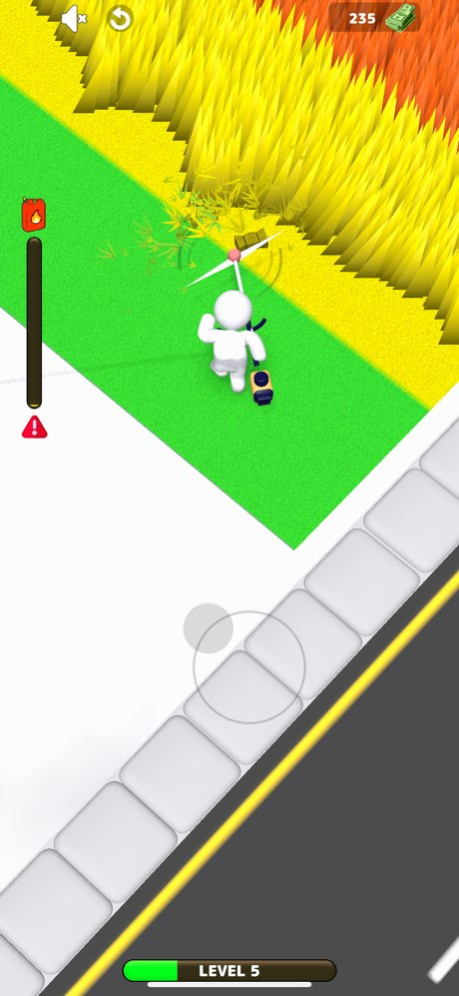


Experience the unique fun of lawn mowing with Lawn Mower Challenge! This innovative, strategy-based game is designed for those who love puzzles and outdoor adventures. Maneuver through tricky landscapes, avoiding obstacles, and make your lawn the envy of the neighborhood.
Key Features:
Lawn Mowing Puzzles: Unique puzzles with increasing complexity that challenge your strategy skills. Can you mow your lawn in the least number of moves?
Varied Environments: Diverse landscapes to mow, each with its unique set of challenges. Can you tackle the suburban garden, the urban park, and the country meadow?
Obstacles and Power-ups: Mow around rocks, trees, and flowers, and make use of power-ups to get the job done efficiently. Can you overcome the hurdles and become the master of the mower?
Optimized for iOS: Enjoy stunning graphics and smooth gameplay on any iOS device.
Lawn Mower Challenge combines the calming pleasure of gardening with the mental stimulation of puzzle-solving. Enjoy relaxing sound effects, beautiful 3D graphics, and a friendly user interface.
Join the Lawn Mower Challenge community and prove your strategy skills in this unique lawn mowing game. Download now and start your engine, it's mowing time!
Version History Bug Fixed 1.4 06/22/2023 1.0 06/19/2023
About Unique Lawn Mower
The company that develops Unique Lawn Mower is Unique Game Studio Bilisim hizmetleri sanayi ve ticaret limited sirketi. The latest version released by its developer is 1.4.
To install Unique Lawn Mower on your iOS device, just click the green Continue To App button above to start the installation process. The app is listed on our website since 2026-10-08 and was downloaded 1 times. We have already checked if the download link is safe, however for your own protection we recommend that you scan the downloaded app with your antivirus. Your antivirus may detect the Unique Lawn Mower as malware if the download link is broken.
How to install Unique Lawn Mower on your iOS device:
- Click on the Continue To App button on our website. This will redirect you to the App Store.
- Once the Unique Lawn Mower is shown in the iTunes listing of your iOS device, you can start its download and installation. Tap on the GET button to the right of the app to start downloading it.
- If you are not logged-in the iOS appstore app, you'll be prompted for your your Apple ID and/or password.
- After Unique Lawn Mower is downloaded, you'll see an INSTALL button to the right. Tap on it to start the actual installation of the iOS app.
- Once installation is finished you can tap on the OPEN button to start it. Its icon will also be added to your device home screen.
Program Details
General
System requirements
Download information
Pricing
Version History
version 1.4
posted on 2026-10-08
Version History Bug Fixed 1.4 06/22/2023 1.0 06/19/2023
version 1.4
posted on 2023-06-22
Jun 22, 2023
Version 1.4
Bug Fixed
version 1.4
posted on 2023-06-22
Bug Fixed
